
Microsoft 365 Copilot use cases for small business
Real-world examples and results of how small businesses are using Microsoft 365 Copilot to improve productivity, reduce admin work, and streamline daily operations.
Most businesses don’t have a time problem—they have a workflow problem.
The companies below faced common challenges: too many meetings, too much admin work, and not enough time to focus on what matters. By using AI tools like Microsoft 365 Copilot, they were able to streamline everyday tasks and improve productivity across their teams.
Here’s what that looks like in practice.
Legal Industry (Cambridge, MA):
Smarter Meetings & Communication
The Challenge:
A mid-sized law firm found itself increasingly burdened by internal meetings, client calls, and case discussions. While collaboration was essential, it came at a cost.
Attorneys and staff were spending significant time:
- Taking detailed meeting notes
- Summarizing discussions for internal use
- Drafting follow-up emails and action items
- Reconstructing conversations for case documentation
This created two major problems:
- Valuable time was being pulled away from billable work
- During meetings, participants were often distracted by note-taking instead of actively contributing
The firm needed a way to stay organized without sacrificing productivity or engagement.

The Solution:
The firm implemented Microsoft Copilot within Teams, Outlook, and Word to streamline how meetings were captured, summarized, and turned into actionable work.
With Copilot, they were able to:
- Automatically generate meeting summaries and notes: Capture key discussions, decisions, and next steps without manual note-taking
- Stay fully engaged during meetings: Attorneys could focus on conversations instead of documenting them in real time
- Quickly draft follow-ups and internal updates: Turn meeting outcomes into polished emails and case notes within minutes
- Improve documentation consistency across cases: Ensure important details were captured accurately and structured clearly
Meetings became more productive—and far less disruptive to the work that actually drives revenue.
The Impact:
- Significant time savings on administrative tasks
- More time focused on billable work
- Better engagement in meetings
- More accurate and consistent documentation
- Faster turnaround on follow-ups and case updates
How This Applies to Your Business:
If your team spends a large portion of the day in meetings, you’re likely losing more productive time than you realize.
With tools like Copilot, meetings can shift from being a necessary interruption to a streamlined, high-value part of your workflow—freeing your team to focus on what matters most.
Wondering what Copilot can do for your business? Let's find out together.
Construction Industry (Plymouth, MA):
Faster Admin & Field Productivity
The Challenge:
A growing construction company with a lean team was struggling to keep up with the administrative demands of bidding and project documentation.
Responding to RFPs required:
- Pulling project details from SharePoint and internal files
- Summarizing years of work into short, compelling descriptions
- Meeting tight deadlines for submissions
At the same time, key team members—who should have been focused on managing projects and field work—were tied up in administrative tasks.
This created a bottleneck:
- Slower RFP turnaround
- Missed or rushed opportunities
- Less time spent on actual project execution

The Solution:
The company implemented Microsoft Copilot across SharePoint, Word, and Outlook to streamline how they gather information and respond to opportunities.
With Copilot they were able to:
- Quickly pull and summarize project data from SharePoint: Instantly surface relevant details from past work—even across multiple years
- Generate concise project descriptions for RFPs: Turn complex, long-term projects into clear, professional summaries in minutes
- Accelerate proposal creation: Reduce the time it takes to complete and submit bids
- Reduce administrative workload across the team: Free up key personnel from time-consuming documentation tasks
Paperowrk and administrative tasks that used to take hours now takes minutes—without sacrificing quality.
The Impact:
- Faster RFP and Quote turnaround times
- Increased capacity to pursue new work
- More time in the field
- Improved productivity across the organization
- Stronger competitive position
How This Applies to Your Business:
In construction, productivity isn’t just about what happens on the job site—it’s also about how efficiently your team handles everything around it.
With tools like Copilot, you can reduce the time spent on administrative work, respond to opportunities faster, and keep your team focused on the work that actually drives revenue.
Wondering what Copilot can do for your business? Let's find out together.
Most small businesses already have access to AI tools — they’re just not using them effectively.
We help you identify where Copilot will actually make an impact—and implement it in a way that fits how your business already works.
Insurance Industry (Braintree, MA):
Risk Assessment & Policy Optimization
The Challenge:
As cyberattacks and data breaches increased among small businesses, a regional insurance agency saw a surge in demand for cyber liability coverage. At the same time, carriers began tightening underwriting requirements—requiring detailed insight into each client’s cybersecurity practices.
The agency struggled to keep up:
- Cyber risk data was scattered across emails, forms, and IT documentation
- Reviewing and interpreting technical details was time-consuming
- Comparing policies across carriers lacked consistency
- Clients didn’t fully understand what was needed to qualify for better coverage
This led to slower turnaround times and missed opportunities to guide clients effectively.

The Solution:
The agency implemented Microsoft Copilot across Outlook, Excel, and Teams to streamline how they process and communicate cyber risk information—while partnering with The Great Solution for cybersecurity assessments and compliance support.
With Copilot they were able to:
- Summarize client data from multiple sources into clear insights
- Compare carrier quotes and identify the best-fit coverage faster
- Translate technical requirements into plain, client-friendly language
- Draft faster, more consistent communication
The agency shifted from reactive quoting to proactive risk advising.
The Impact:
- Faster policy turnaround and less manual review
- Higher close rates on cyber insurance policies
- Clearer client communication with fewer follow-ups
- Improved client eligibility for coverage and pricing
- Stronger positioning of the firm as a trusted advisor—not just a policy provider
How This Applies to Your Business:
Cyber insurance is becoming more complex—but also more valuable.
With the right combination of tools and expertise, agencies can move faster, guide clients more effectively, and turn cybersecurity into a competitive advantage.
Wondering what Copilot can do for your business? Let's find out together.
Finance Industry (Canton, MA):
Boosting Productivity Across Teams
The Challenge:
A financial firm specializing in asset management, private equity, real estate, and fixed income was managing large volumes of data, communication, and reporting across multiple teams.
Employees at every level were spending time on:
- Gathering and analyzing data from multiple sources
- Preparing reports and client updates
- Managing internal communication and documentation
- Repeating routine tasks that slowed down higher-level work
While these tasks were necessary, they pulled time away from more strategic responsibilities—like client advising, investment analysis, and decision-making.
The firm needed a way to improve efficiency without increasing overhead or sacrificing quality.

The Solution:
The firm implemented Microsoft Copilot across its Microsoft 365 environment, integrating it into daily workflows in Outlook, Excel, Word, and Teams.
Over time, they expanded its use across the organization—developing more than 20 internal use cases that streamlined operations and reduced reliance on manual processes. With Copilot, they were able to:
- Accelerate research and data analysis: Quickly surface insights from large datasets and internal documents
- Streamline reporting and client communications: Generate polished summaries, updates, and presentations faster
- Reduce repetitive administrative work: Automate routine tasks across departments
- Support every role across the organization: From analysts to leadership, Copilot acted as an always-available assistant
It effectively became a built-in assistant across every team and function.
The Impact:
- More than 20 operational processes streamlined across the organization
- Over 2,300 person-hours saved through automation and workflow improvements
- 10–20% increase in productivity
- Improved responsiveness and communication with clients
- Faster access to insights and better-informed decision-making
- 76% of users wanted to continue using AI tools
How This Applies to Your Business:
In financial services, success depends on how quickly and effectively you can turn information into insight—and insight into action.
With tools like Copilot, your team can spend less time managing information and more time using it to serve clients, make decisions, and drive growth.
Wondering what Copilot can do for your business? Let's find out together.
Turn Everyday Work into a Competitive Advantage
With the right Copilot setup, your business can move faster, stay organized, and handle growth without the usual bottlenecks.
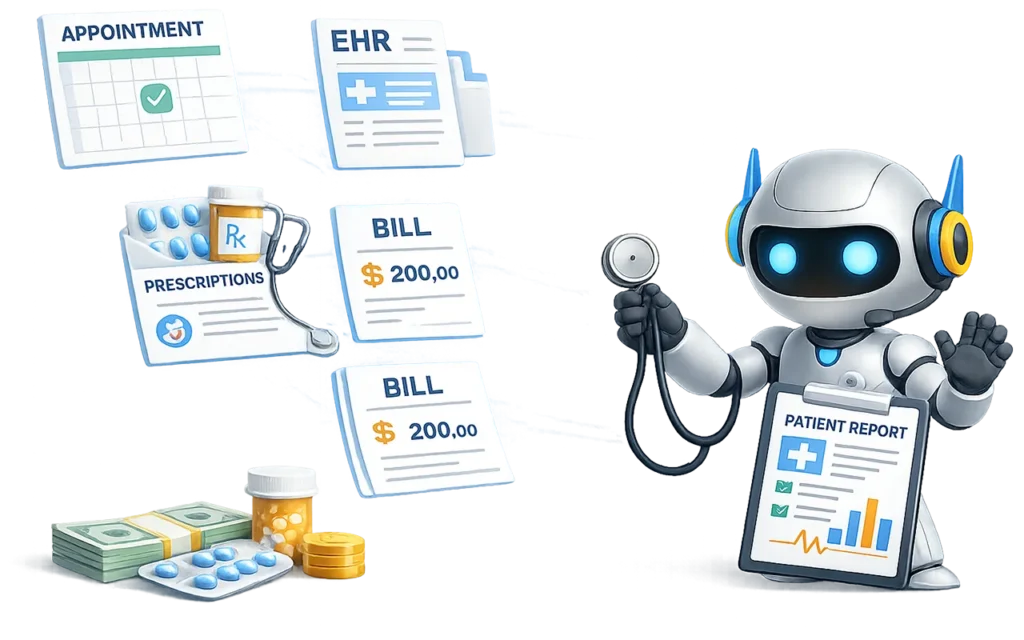
Healthcare Industry (Natick, MA):
Improving Documentation & Communication Efficiency
The Challenge:
A healthcare organization focused on medical coding was dealing with a constant flow of communication, documentation, and internal coordination.
Staff were spending significant time:
- Managing and responding to high volumes of email
- Reviewing patient and coding-related documentation
- Taking notes during internal meetings and discussions
- Coordinating between teams on billing, claims, and patient information
One of the biggest challenges was staying on top of ongoing conversations. Team members often had to revisit long email threads or meeting discussions just to get back up to speed—slowing down response times and productivity.
This created a familiar problem in healthcare environments:
- Too much time spent on administrative tasks
- Not enough time focused on patient care and high-value work
The Solution:
The organization implemented Microsoft Copilot across Outlook, Teams, and Word to streamline communication, documentation, and day-to-day workflows.
Copilot and AI tools were used to to:
- Summarize email conversations instantly: Jump back into complex threads without reading through every message
- Stay aligned across teams with meeting summaries: Use Teams transcription and notes to capture key points and action items
- Improve medical coding workflows: Quickly review and summarize documentation to support faster, more accurate coding
- Streamline patient and internal communication: Draft responses to billing, scheduling, and coordination inquiries more efficiently
Staff no longer had to be “always on” to stay informed—they could step in, get context instantly, and move forward.
The Impact:
- Reduced time spent managing emails and internal communication
- Faster response times across teams and departments
- More efficient documentation and coding workflows
- Less context-switching and easier re-entry into ongoing work
- More time available for patient-focused and high-value tasks
How This Applies to Your Business:
In healthcare, time is one of the most valuable resources—and too often it’s lost to communication overload and administrative work.
With tools like Copilot, your team can stay informed, move faster, and reduce the burden of documentation—so they can focus more on delivering care and less on managing information.